Can Claude make videos?
Claude video means three different things: an animation feature, a coding agent that renders code into MP4s, and a remote control for other companies' video models.
Not on its own: every Claude model takes text and images in and sends text out, so there is no Claude video model. It can still get you a finished MP4 three ways: Claude Motion animates your text and charts and exports MP4 on Team and Enterprise plans, Claude Code writes and renders video with HyperFrames, Remotion or FFmpeg, and Claude can call hosted models like Kling or Higgsfield through MCP.
What the Claude apps can and can't output
Start with the model. Every current Claude model takes text and images in and sends text out, according to Anthropic's model overview. There is no Claude video generation model, and the chat upload list covers documents and images, not video files.
So when someone shows you a Claude video, the pixels came from code Claude wrote or from another company's model that Claude called. Inside the apps, three products matter.
- Claude Motion (beta, Team and Enterprise plans). Type
/motionin the message box and Claude builds a short animated explainer from your text, charts, shapes and images, which you can download as an MP4. Anthropic says it doesn't use a video generation model, so there's no generated footage and no AI people. Finished animations open in Adobe, Descript, HeyGen, Higgsfield, invideo, Luma AI or Runway. - Claude Design (every plan, including Free). It builds slides, pages and interactive prototypes. Its export menu offers a .zip, PDF, PPTX, Google Slides, standalone HTML and a handoff to Claude Code, but no video file. The HyperFrames team publishes a guide for settling the look in Claude Design and rendering it with a coding agent.
- Claude Cowork (paid plans). It runs on the same agentic architecture as Claude Code and, on the desktop, reads and writes files in folders you connect, which is why people try it on footage. When Golem.de gave it drone footage in August 2026, the test ran under the headline "four hours for nothing".
Motion is the only first-party button that turns a prompt into an MP4, and it animates material you already have. For anything else, you need one of the two routes below.
Route 1: Claude Code writes the video, then renders it
Claude Code is Anthropic's coding agent. It runs in your terminal or the desktop app and needs a Pro, Max, Team, Enterprise or Console account; the free plan doesn't include it. Because it can write files and run commands, it treats a video as a project: it writes the scenes as code, previews them and renders a real MP4 on your machine.
Three open tools do the rendering.
HyperFrames
HyperFrames is HeyGen's open-source framework, under Apache 2.0, with about 74,000 GitHub stars. It turns HTML, CSS, media and seekable animations into deterministic MP4s, and it needs Node.js 22 or later plus FFmpeg. Its skills teach the agent the whole loop: plan, write, lint, preview, render. The README installs it in Claude Code as a plugin:
claude plugin marketplace add heygen-com/hyperframes
claude plugin install hyperframes@hyperframes
Remotion
Remotion builds video in React and ships an official Claude Code plugin that bundles its Agent Skills. Restart Claude Code after installing, then call /remotion:remotion-create with your idea. Remotion is free for individuals and for companies of up to three employees; larger for-profit teams need a company license, which costs $25 per seat a month for manual video creation.
claude plugin marketplace add remotion-dev/claude-code-plugin
claude plugin install remotion@remotion
FFmpeg
FFmpeg is the command-line workhorse underneath. Claude Code calls it directly to trim, join, burn in subtitles, resize and convert. It's also how Claude edits footage you shot yourself, which gets its own walkthrough in Claude video editing. For a side-by-side of the two frameworks, read HyperFrames vs Remotion.
Install Claude Code
Run
curl -fsSL https://claude.ai/install.sh | bashon macOS or Linux (the setup docs list Windows commands), then runclaudeand sign in with a paid plan.Add a renderer
Install the HyperFrames or Remotion plugin with the commands above. HyperFrames also needs Node.js 22 or later and FFmpeg. Restart Claude Code afterward.
Start in a fresh folder
Open Claude Code in an empty folder for the project, and drop in your logo, colors and any footage so the code and its assets live together.
Approve the script first
Describe the video, then read the script and scene list before any rendering starts. Changing a line of script is cheaper than re-rendering.
Preview, fix, render
Watch the preview and ask for changes by scene and timestamp, not by feel. When it plays right, let the agent render the final MP4.
Using HyperFrames, make a 30-second vertical video (1080x1920) that explains what our product does in three beats: the problem, the fix, the result. Use the colors and logo in ./brand. Write the script first and show it to me before you build anything. Then build the scenes, render a preview, check every scene for text that overflows or overlaps, and render the final MP4 to ./out.
 №002
№002Route 2: Claude calls a hosted video model over MCP
Realistic footage, people and camera moves through a lifelike scene have to come from a video generation model. Claude can drive one through MCP, the open standard for connecting assistants to outside tools. The generation runs on the provider's servers and spends credits in your account there, not on your Claude plan.
Kling runs an official remote endpoint at https://kling.ai/mcp for international accounts. Its own Claude Code tutorial adds it with the command below, then has you run /mcp inside Claude Code to sign in with your Kling account.
claude mcp add --transport http klingai --scope user https://kling.ai/mcpHiggsfield puts several models behind one connector at https://mcp.higgsfield.ai. In claude.ai or the desktop app, open Settings, then Connectors, add a custom connector with that URL and sign in. Higgsfield lists Veo 3.1, Sora 2, Kling 3.0, Seedance 2.0, Wan 2.6 and MiniMax Hailuo among them, with clips of up to 15 seconds.
List the video tools and models the Kling connection exposes, with the settings each one accepts and the credit cost of a 5-second clip. Don't generate anything yet. Then write three prompts for a 5-second, 9:16 shot of a coffee cup on a sunlit kitchen counter with a slow push-in, and wait for me to pick one.
Every generation costs credits, including the clips you throw away. Have the agent show you the available tools, settings and price before it submits anything, and approve one test clip before a batch. Kling's own MCP guide gives the same advice, because the models and parameters behind a connection change.
Which route fits which job
| Route | Good for | Cost | Limits |
|---|---|---|---|
| Claude Motion | Animated explainers of your own text, numbers and charts | Team or Enterprise plan; counts against usage limits | Beta; MP4 only; no generated footage or people |
| Claude Design | Layout, type and scene direction before you render | Every plan, including Free | No video export; hand off to Claude Code |
| Claude Code + HyperFrames | Motion graphics, kinetic captions, product and explainer videos | Claude Pro from $20 a month ($17 billed yearly); HyperFrames is free | Needs Node.js 22+ and FFmpeg; renders on your machine |
| Claude Code + Remotion | React templates and data-driven video | Free for individuals and companies of up to 3; $25 per seat a month above that | Company license for larger for-profit teams |
| MCP video models | Realistic footage, people, scenes | Provider credits per generation | Short clips (Higgsfield: up to 15 s); quality varies by model |
Most finished videos mix routes. A Kling or Higgsfield clip becomes the b-roll, HyperFrames handles titles and captions, and FFmpeg stitches it together, all in one Claude Code session. Skills are how you hand the agent that playbook; our list of Claude skills for video covers the free ones. If you're weighing assistants, see can ChatGPT make videos.
Formato's packs are formats you open in your agent: №002 Reelforge is out now at $49, or $99 for the box set of three packs, and №001 Motion Ads and №003 Skits are on press.
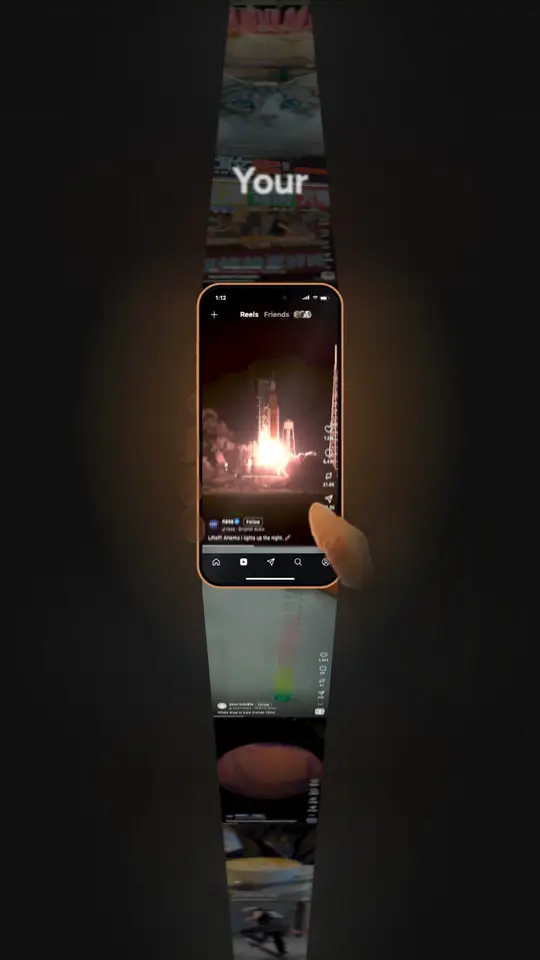
№002 Reelforge is the pack behind the reel on this page: give your agent one subject and it researches, scripts, voices and renders an explainer reel like this one, with five opening hooks.
Reelforge · $49 →Questions
Can Claude generate a video from a text prompt?
Not with a model of its own. Claude models take text and images in and return text. Claude Motion turns a prompt into an animated MP4 by writing code, and Claude can call hosted video models such as Kling or Higgsfield through MCP to generate footage.
Is Claude Motion available on the free plan?
No. As of October 2026, Claude Motion is in beta on Team and Enterprise plans only. It's on by default for Team; on Enterprise, an owner has to turn it on in Organization settings.
Can Claude Design export a video?
Not directly. Its export menu offers a .zip, PDF, PPTX, Google Slides, standalone HTML and a handoff to Claude Code. To get an MP4, hand the design to Claude Code and render it with a tool like HyperFrames.
Can Claude watch a video I upload?
Not in the chat app: the upload list covers documents and images. Agents such as Claude Code work around it by extracting a transcript and still frames, which Claude can read.
Do I need to know how to code to make videos with Claude Code?
No. You describe the video in plain English and Claude writes the code. You do need to install Claude Code and, for HyperFrames, Node.js 22 or later and FFmpeg.
Keep reading
- Can Claude edit videos?Claude never watches your footage; it reads it, and for a talking-head edit that gets you most of the way.Read →
- HyperFrames vs Remotion for coding agentsBoth turn web code into MP4 files inside a headless browser; what differs is what your agent writes, where it renders and who has to pay.Read →
- The best Claude skills for videoFree repositories, paid packs and the exact install commands, each checked against the project's own page on October 28, 2026.Read →
Sources
- Anthropic: Models overview
- Claude Help Center: Upload files to Claude
- Claude: Build live dashboards and animate explainers with Claude (October 8, 2026)
- Claude Help Center: Get started with Claude Motion
- Claude Help Center: Get started with Claude Design
- HyperFrames: Claude Design guide
- Claude Help Center: Get started with Claude Cowork
- Golem.de: Claude-Cowork-Videoschnitt im Test (August 28, 2026)
- Claude Code docs: Advanced setup
- Claude Code docs: Connect to tools via MCP
- Claude: Plans and pricing
- HyperFrames on GitHub
- Remotion: Claude Code plugin
- Remotion: License
- Remotion: Company license pricing
- FFmpeg
- Kling: Claude Code MCP tutorial
- Kling: Model Context Protocol hands-on
- Higgsfield: Generate AI videos from Claude with Higgsfield MCP